
Virtual Desktop für zentral verwaltete digitale Arbeitsplätze
Securely provide applications and desktop environments and enable location-independent access to workstations
Virtual Desktop solutions enable companies to provide complete desktop workstations or individual applications centrally on servers. Users access their work environment via the network, while applications and data are operated securely in the data center.
Within the ECHO network, we support companies in deploying and operating virtual workstations based on Remote Desktop Services. This creates a flexible work environment that enables centralized management, secure access, and reliable use of applications. Digital workstations can thus be operated efficiently, managed more easily, and expanded as needed.

Services for virtual workstations and centralized
desktop provisioning
A Virtual Desktop environment provides applications and complete workstations centrally. This makes systems easier to manage, allows security policies to be implemented consistently, and enables flexible workstation provisioning.
Centralized application provisioning
Applications run on high-performance servers and are provided to users via the network. This allows even resource-intensive programs to be used efficiently without requiring high-performance end devices.

Virtual desktop environments
Complete desktop workstations can be hosted centrally and provided via Remote Desktop Services. Users access their familiar work environment from different devices.
Centralized system management
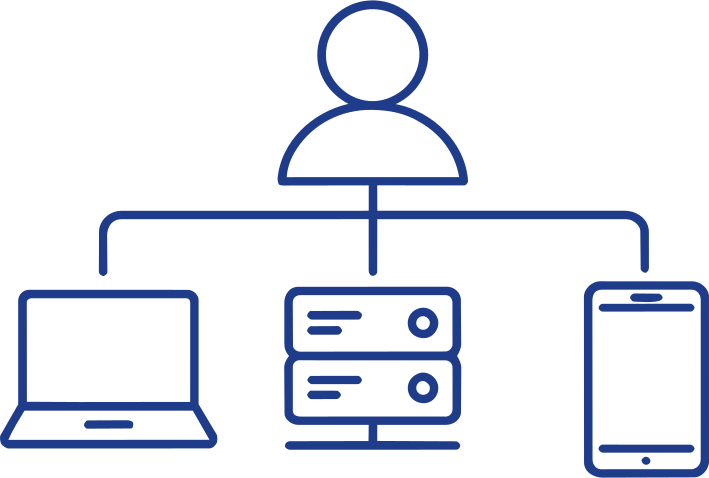
Applications, security policies, and updates are managed centrally. This significantly reduces maintenance effort and administrative tasks and ensures changes are implemented consistently.

Secure remote access
Access to virtual workstations is enabled via secured connections. Authentication, encryption, and access controls help reliably protect company data and applications.

Scalable working environments
Virtual workstations can be expanded flexibly when new users are added or additional resources are required. The infrastructure can be adapted to growing requirements.

Integration into digital workplace solutions
Virtual desktop environments often complement other solutions for modern workplaces. Especially in combination with Managed Exchange, this creates a central platform for communication and collaboration. If browser-based and flexibly usable work environments are also required, an Open Cloud Workspace can be a sensible addition.
Infrastructure and platform expertise in the ECHO network
High-performance infrastructure and proven platform technology for stable virtual work environments
Virtual Desktop solutions combine server infrastructure, network, and centralized management into a unified work environment. Within the ECHO network, we bring together expertise in infrastructure, cloud operations, and workplace solutions to provide a stable and scalable environment for virtual desktops.



Why Virtual Desktop makes sense for modern workplaces
Virtual workstations simplify application management, increase flexibility for users, and improve control over company data. Virtual Desktop is often part of a broader digital workplace strategy and complements other solutions in the Managed Workplace area.
Centralized application management
Software and updates can be deployed centrally, significantly simplifying maintenance and administration.

Flexible access to workstations
Employees can access their work environment from different locations and devices.

Greater security for company data
Data remains in the data center and is not stored locally on end devices.

Efficient use of hardware
Because applications run centrally, less powerful end devices can also be used.

Scalability for growing teams
Virtual workstations can be expanded quickly when new employees or projects are added.
Frequently asked questions about Virtual Desktop and RDS
Here you will find answers to the most important questions about virtual desktop solutions.
What is Virtual Desktop?
Virtual Desktop describes an environment in which complete desktop workstations are operated centrally on servers and provided via the network.
What are Remote Desktop Services?
Remote Desktop Services is a Microsoft technology that enables applications and desktop environments to be operated centrally on servers and made available to users remotely.
What are the benefits of a virtual desktop environment?
Companies benefit from centralized management, enhanced security, flexible scalability and location-independent access to applications.
Which devices can access virtual desktops?
Virtual desktops can be accessed via computers, laptops, tablets or smartphones.
Is Virtual Desktop also suitable for mobile employees?
Yes. A Virtual Desktop solution offers flexible access options, particularly for mobile teams or distributed locations.
How secure is access to Virtual Desktops?
Access is provided via secure connections with authentication and encryption, ensuring corporate data remains protected.
Implement Virtual Desktop together
If you would like to provide applications centrally, organize workstations flexibly, and simplify access to company systems, we will work with you to develop a suitable Virtual Desktop solution.
